

Start Forex Trading with a Free $100 Account
Start forex trading with a free $100 account 🎯 Learn how the no-deposit funds work, key pros and cons, plus tips for South African traders 🇿🇦
Edited By
Sophia Bennett
For anyone stepping into the forex market, a demo account is like a training ground—it lets you get your feet wet without risking your hard-earned cash. Especially in South Africa's vibrant trading community, many newcomers and seasoned traders alike lean on demo accounts to test strategies and understand market moves before going live.
This guide isn’t just about clicking through a setup process; it's about getting real experience with virtual money, learning the ropes of currency trading, and building up confidence. Whether you’re an investor, a financial advisor looking to understand market mechanics, or an analyst digging into price action, these demo accounts mirror live trading platforms closely.
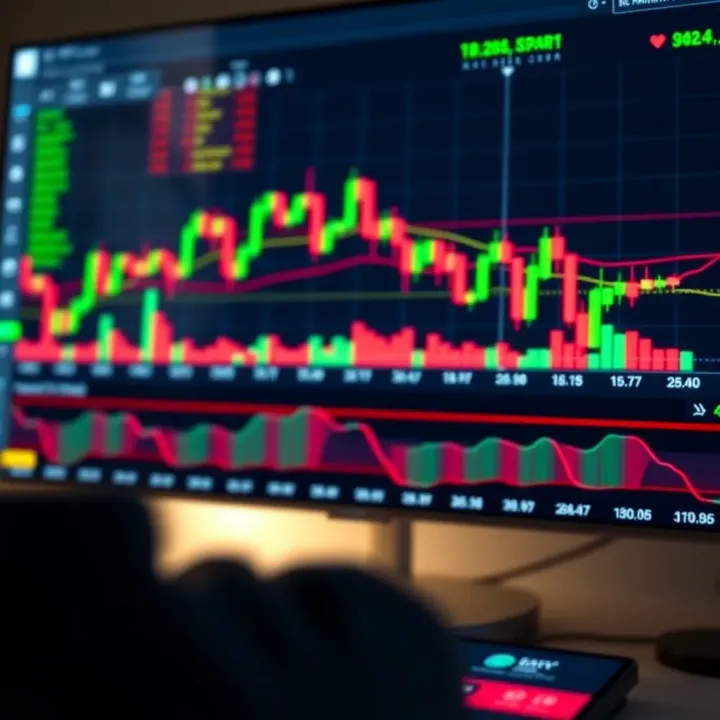
You'll see the benefits—no stress about losing money at first, an easy way to practice, and insight on how your chosen trading platform works. Plus, since brokers cater quite well to South Africa’s traders, you'll find platforms tailored to your timezone and economic conditions.
Remember, a demo account is your sandbox - don’t rush the move to a live account until you understand how the waves roll.
In the sections ahead, we'll walk through the whole process step-by-step: picking the right broker, downloading the software or app, setting it up, and tips for maximizing your practice sessions. Let's get you ready to trade Forex confidently and smartly.
Grasping the idea of a forex demo account is a solid first step toward getting comfortable with trading. For many traders—especially those just starting out—this is a safe space to learn the ropes without risking a single rand. It’s like getting your feet wet before jumping into the deep end of the pool.
A forex demo account is essentially a trading account that uses virtual money instead of real cash. It functions just like a live account but without the financial risk. The main purpose is to allow beginners to practice trading currencies, familiarise themselves with trading software, and build confidence. Traders can place orders, watch price movements, and experience typical market behavior without stress.
Think of it like a flight simulator for pilots. You’re learning controls and scenarios, not flying a real plane. This way, you avoid costly mistakes while still gaining valuable hands-on experience.
While demo accounts replicate live market conditions fairly accurately, there are some important differences. Most notably:
Emotions don’t hit the same: Knowing that no actual money is on the line makes decision-making feel less intense.
Execution can differ: In live markets, slippage and order delays can happen, but demos often execute trades instantly.
No real profits or losses: Gains are virtual, so it doesn’t teach the emotional resilience needed in live trading.
Understanding these differences helps set realistic expectations when shifting to real money trading.
One huge bonus of demo accounts is the ability to practice without losing money. Whether you’re trying out leverage or new trading hours, experimenting on a demo means you won’t burn your bankroll. For example, if you decide to try forex day trading with IG Markets’ demo, you can test your entries and exits without financial stress.
Everyone’s setup looks a bit different, and it’s no secret that trading platforms can be tricky for newcomers. Using a demo account gives you a chance to get the hang of tools, charts, and indicators before the pressure of real trades kicks in. For instance, South African traders trying out MetaTrader 4 or 5 will find that demo accounts let them explore built-in analysis tools fully.
Have a trading strategy in mind but unsure if it really works? The demo is your test lab. You can try out trend following, scalping, or swing trading without worrying about losses. Over time, you’ll see what suits your style and when adjustments are needed, all while keeping your capital safe.
Using a demo account isn't just about learning to trade; it’s also about learning how not to trade. Mistakes here are lessons paid in virtual cash, which proves way cheaper in the long run.
Learning to use a forex demo account well sets you up for smarter decisions once you move into live trading. It's a chance to build skills, emotions, and habits that are crucial for success in real markets.
Picking the right forex broker is a big deal, especially when you're just starting with a demo account. It’s more than just picking any name you see online—it’s about finding a platform that feels right and reliable as you dip your toes in forex trading waters. A good broker doesn’t only offer a demo account for practice but also sets you up with the right tools, trustworthy conditions, and a smooth experience, which is gold when you're learning.
When you choose carefully, you can avoid headaches like bad trade execution, odd fees, or shaky platform performance. Plus, the skills and confidence you gain on the demo can carry over seamlessly when you switch to live trading, which is the end game.
Before you hand over your details or time, check if the broker is regulated. Regulation is like a safety net — it means the broker is held accountable to certain standards and is less likely to play tricks. In South Africa, brokers regulated by bodies like the FSCA (Financial Sector Conduct Authority) are generally safer bets. Their oversight helps prevent scams and ensures your money is treated with respect.
A broker’s reputation also counts a lot. Look for reviews from actual users and watch out for any long-standing complaints about dodgy withdrawals or poor customer service. For example, IG Markets and XM are popular for their solid track records and transparent dealings, which makes them reliable choices.
Your demo experience largely depends on the platform the broker offers. Does it have a clean, intuitive interface? Can it run smoothly on your laptop, phone, or tablet? Think about the tools available: are there enough charting options, indicators, and order types to test your strategies properly?
MetaTrader 4 and MetaTrader 5 are go-tos for many traders because they balance simplicity with powerful features. Meanwhile, platforms like cTrader offer more advanced tools for techy traders. Some brokers like Pepperstone offer both, giving you options depending on your comfort level.
Also, keep an eye on platform speed and reliability. Nothing sinks a demo experience quicker than constant lag or server problems.
Not all demo accounts are created equal. A good demo should mimic live conditions closely—including real-time pricing, similar spreads, and realistic order execution. Some brokers offer demo accounts with unlimited time, which is great if you want to practice over the long haul.
Check if the demo account gives you enough virtual funds to trade big enough positions, so you can see how real money would flow. Also, some brokers reset the demo balance after a while, which is fine, but you want to know upfront so it doesn’t catch you off guard.
Let’s talk specifically about brokers that South African traders commonly turn to for demo accounts:
IG Markets: Regulated by FSCA, IG is well-known for its user-friendly platform and responsive customer support. Their demo account comes with a £10,000 virtual balance and access to plenty of educational materials.
XM: Offers both MT4 and MT5 platforms, with spreads that imitate live market conditions. XM’s demo account lets you practise with a $100,000 virtual balance, plenty enough to try big trades without worries.
Pepperstone: Known for low spreads and fast execution, Pepperstone offers various platforms including MetaTrader and cTrader. Their demo accounts don't expire, letting traders tinker as long as they want.
HotForex: Another FSCA-regulated broker providing both demo and live accounts with numerous asset options. They give you $100,000 in virtual credit to experiment with.
Each of these brokers scores high on trust, platform diversity, and demo account quality, making them solid choices for South Africans eager to test forex waters without risking real cash.
Remember, your demo account is not just a playground—it's where you build the foundation for sensible trading habits and learn how to handle forex markets confidently. Take your time, pick the right broker, and use the demo account to its full potential.
Downloading a free forex demo account is a practical step every trader in South Africa should know. It’s your gateway to testing the waters before diving into live trading. Demo accounts let you practice without risking real money — a chance to get familiar with the market movements and how the trading platforms function.
Having hands-on experience with a demo account helps you figure out your trading style and test strategies without financial pressure. It’s like taking a test drive before buying the car; you get to know how everything works so you’re less likely to mess up when you start with real cash.
The very first step is picking a trustworthy broker who offers a free demo account. Registration usually involves filling out basic info like your name, email, and sometimes your phone number. For South African traders, brokers like IG, AvaTrade, and XM are popular options that provide user-friendly signup processes.
When registering, be sure to input accurate details. This helps you avoid hiccups later, especially when it comes to account verification or customer support needs. The registration is straightforward but don’t rush; carefully check your email for confirmation prompts that some brokers send immediately.
Once you’ve registered, the broker typically sends a verification link or code to your email or phone. This extra step is crucial — it ensures your account is secure and that you can recover it if needed. It’s a standard safety measure, but sometimes this email lands in your spam folder, so give that a look if you don’t see anything.
Verification also often activates your demo account, giving you full access to the platform. Make sure to complete this quickly — some brokers may limit the demo account usage period if verification isn’t done promptly.
Most brokers provide demo accounts through popular trading platforms like MetaTrader 4 (MT4), MetaTrader 5 (MT5) or their own proprietary apps. These platforms support Windows and macOS computers as well as mobile devices running iOS or Android, which is handy for traders on the go.
In South Africa, you'll find that internet speeds and device capabilities vary, so it’s good to choose a platform that runs smoothly on your specific setup. For instance, MT4 is known for being lightweight and easy to run even on older laptops or smartphones.
After downloading the software, installation is usually a breeze. The key is to follow the onscreen prompts carefully and avoid rushing through the setup screens. Make sure to install any updates the broker might recommend before launching the platform.
If your connection isn’t stable, interruptions during install might cause the platform to malfunction. In such cases, pause, restart your device, and try again. Also, avoid installing software from unofficial sources to keep your computer safe from malware.
Keep your login credentials safe and use strong passwords, especially when downloading and setting up trading platforms. A safe account setup means you can focus more on learning and less on worrying about security issues.
Downloading and setting up a free forex demo account is largely a hassle-free process, but doing it right is key to maximizing your learning experience in forex trading.
Setting up your forex demo account properly is a key step before diving into practice trading. This process might sound straightforward, but the choices you make can impact how effectively you simulate real trading conditions. Think of it as tuning a car before a test drive; you want everything just right to get the full experience. Without configuring your demo account carefully, you risk missing out on learning opportunities or developing habits that won't work with your live account.
Most brokers let you choose the type of demo account that matches various trading styles—like standard, mini, or micro accounts. Picking the right one helps you get comfortable with the risk and trade size you plan to use later. For example, if you're new and prefer smaller trades, a micro account simulation with a balance of $1,000 might feel more relatable than a standard account with a virtual $100,000 balance. Setting a realistic starting balance pushes you to manage risk better, preventing overconfidence that might come from unlimited virtual funds.
Forex demo accounts typically give access to a wide range of currency pairs, commodities, and sometimes even indices. Selecting which instruments to focus on is crucial because each has its own behavior and volatility pattern. If your real goal is to trade major pairs like EUR/USD or GBP/ZAR (a popular cross in South Africa), prioritize these in your demo setup. This way, you get hands-on experience with the spreads, pips, and market movement relevant to your live trading. As an example, attempting to trade exotic pairs in demo might not prepare you well if your live account focuses on majors.
Getting the hang of the trading platform’s toolkit is essential. Most platforms, such as MetaTrader 4 or cTrader, offer features like order placement, stop loss/take profit settings, margin info, and real-time price quotes. Take time to explore how to enter and exit trades, modify orders, and check your account summary. For instance, knowing how to quickly set a stop loss can save you when practicing risk management strategies. Don’t overlook the notifications panel, often filled with useful alerts and messages.
Charts are the heart of trading, and demo accounts let you experiment with different types without costing a cent. Familiarize yourself with candlestick, line, and bar charts. Apply popular indicators like Moving Averages, RSI, and MACD to see how they signal trends or reversals. For example, you might notice that a 50-period moving average acts as support for EUR/USD during demo trading, helping you time entries and exits better. Practicing chart analysis here sharpens your technical skills and builds confidence in interpreting market data.
Remember, the aim of setting up your demo account well is to create an environment as close to live trading as possible. This familiarity can significantly cut down the learning curve when real money is on the line.
By carefully adjusting your account type, balance, instrument selection, and mastering the platform tools, you set yourself up for effective practice trading. These steps aren't just boxes to tick; they are foundations for long-term trading success.
Using a forex demo account isn't just about clicking around without risking money; it's a crucial step to build real trading muscle. When you use your demo account right, it sets the stage for more confident and informed moves in real markets. This section dives into practical tips that go beyond the basics, showing you how to maximize your demo experience to become a sharper trader.
Demo accounts give you the perfect playground to try out different trading strategies without sweating over losses. For example, say you're curious about breakout trading—you can watch how it plays out with various currency pairs, weigh the outcomes, then tweak your approach. Likewise, testing scalping strategies on a demo account lets you gauge how those super-quick trades work without risking your hard-earned cash. This kind of practice not only builds familiarity but also sharpens your sense of timing and market behavior.
Think of it like test-driving a car in different weather and road conditions before buying. You get to know the vehicle's quirks, how it handles, and what adjustments you might need. Similarly, playing around with your demo account helps you figure out which trading style feels right before diving into actual trading.
A key part of learning forex is grasping how to protect your money. Stop-loss and take-profit orders are your best friends here—they’re like safety nets that prevent small slip-ups from turning into big bruises. With your demo account, you can get hands-on experience setting these orders on trades, seeing how they lock in gains or limit losses.
For instance, if you set a stop-loss on EUR/USD at 50 pips below your entry, you'll see firsthand how it shields you when the market swings unexpectedly. The demo environment also helps you understand how tight or loose your stops should be, depending on your risk appetite and strategy. Practicing this skill builds discipline, which is essential when time comes to manage live money.
Keeping a trading journal might sound old-fashioned, but it's a game changer. Write down each trade you make in your demo account—why you entered, the strategy you used, your stop-loss and take-profit levels, and how the trade ended. This habit reveals patterns in your thinking and trading choices, helping you spot what’s working and what’s not.
Plus, don’t just stop at logging; regularly review your journal. Ask yourself questions like: Are there strategies consistently losing? Are you sticking to your risk limits, or letting emotions drive decisions? Evaluating your performance like this creates a feedback loop that’s hard to replicate any other way.
The simplest things, like a good trade log, often push your trading skills further than hours spent staring at charts.
By using your demo account to practice strategies, manage risk properly, and track your progress with a journal, you lay down a foundation that eases the jump into real trading. These habits aren’t just tips—they’re necessary steps to trade smarter and with more confidence.
While demo accounts are invaluable for learning forex trading, they don’t paint the full picture of live trading. It's important to understand their limitations so you won’t be caught off guard when switching to a real account. For example, demo accounts allow you to practice without risking cash, but they miss out on the nerves and adrenaline that hit when money’s actually on the line. This makes the experience less realistic in terms of decision-making.
Also, demo platforms often run on slightly different mechanics compared to live trading environments. Think about execution speed or how orders are filled—they're usually quicker or more predictable in demo mode. Knowing these limits helps set proper expectations and prepares you mentally for what live trading really feels like.
One of the biggest gaps between demo and live trading is the emotional side. When you trade with pretend money, it’s easy to stay calm and take risks. But throw real cash into the mix, and suddenly every decision carries weight. Fear, greed, or stress can nudge you into making rash moves you wouldn't dream of with a demo.
For example, a demo account might have you try out an aggressive strategy because you have no skin in the game. In live trading, that same approach can trigger panic if you start losing money, leading to poor decisions like closing trades too early or holding onto losers. Practicing mindfulness and preparing for emotional swings can ease this transition.
Remember, mastering trading psychology is often more important than owning the latest tools.
Demo accounts usually have perfect or near-perfect order execution – no slippage, no delays. In real markets, orders can fill slower, or prices might move before your trade is executed, especially during high volatility. This difference can affect your strategy's performance.
Say you place a stop-loss order on a demo account, and it hits exactly at the set price. On a live account, slippage could cause the stop loss to execute at a less favorable price, resulting in a bigger loss. Being aware of this means you can plan buffer zones or adjust risk measures in real trading. It's smart to test strategies on a live micro or mini account with small funds to feel these execution nuances firsthand.
It’s tempting to stick with demo accounts forever, but they can’t teach you everything. You might be ready to move to a live account when you consistently execute your strategy profitably on demo, understand risk management well, and can control your emotions during ups and downs.
Indicators of readiness include maintaining a steady trading journal showing disciplined decisions, and staying calm in simulated drawdowns. Don’t rush—taking the leap too early can waste time and erode confidence. It’s better to fail small with real money while you build experience.
Once you go live, protecting your capital becomes priority number one. No more unlimited fake money, so strict money management rules must be in place. Limit your risk per trade to a small percentage of your account (often 1–2%) and keep track of your overall exposure.
Practical tips include avoiding overtrading, sticking to your plan, and regularly reviewing your trades to learn from both wins and losses. For instance, when starting out in South Africa, consider using brokers like IG or Plus500 that offer low minimum deposits and regulated environments. This approach minimizes losses while you get accustomed to live trading pressure.
Transitioning carefully means turning practice into real success without blowing up your account.
Downloading a forex demo account and setting it up should be a smooth process, but sometimes you hit snags that can slow you down or stop you altogether. These common issues can be frustrating, especially for traders new to the scene. Understanding these problems beforehand and knowing how to tackle them helps you get back on track quickly, so you can focus on learning and practicing without unnecessary delays.
Not every trading platform plays nice with all devices or operating systems. For example, MetaTrader 4 and 5 might run flawlessly on Windows but could stumble on older Mac versions or smartphones with limited processing power. Before downloading, make sure to check if your device meets the platform’s minimum tech requirements. If you're running an outdated OS like Windows 7 or an older Android version, the platform might crash or refuse to install.
One practical fix is to update your device’s OS if possible, or try downloading the platform’s web version, which bypasses device-specific limitations. Brokers like IG and Plus500 often offer browser-based platforms that work well on less powerful devices, so you won't miss out just because of hardware.
A steady internet connection is the backbone of forex trading, even on demo accounts. A weak or unstable connection can cause delays in receiving live quotes, making order execution inconsistent, or even prevent you from logging into your demo account.
If you notice your platform freezing, lagging, or disconnecting frequently, test your connection speed and stability using tools like Speedtest by Ookla. Ideally, you want at least a 5 Mbps download speed for a smooth experience. Avoid using public Wi-Fi hotspots with spotty signals; rather, connect through a reliable home network or tether via mobile data. Also, close bandwidth-heavy applications running in the background, such as streaming services or cloud backups, to reduce lag.
Nothing kills momentum like getting locked out of your demo account. Forgotten passwords or mistyping your login details are common hurdles. If your demo platform asks for frequent logins, it's easy to mix up usernames or passwords, especially if you manage multiple accounts.
To prevent this, jot down your login credentials in a secure password manager like LastPass or Bitwarden. If you find yourself locked out, use the "Forgot Password" feature immediately — most brokers, including FXTM or HotForex, have clear steps for resetting passwords via email. Watch out for email filters that might toss these reset links into the spam or junk folder.
Sometimes login errors can stem from server outages or platform maintenance. In such cases, check the broker’s official communication channels or social media for announcements. Patience is key—most issues are resolved within hours.
Remember, encountering these issues is part of the learning curve. Being prepared with the right solutions saves time and stress.
By staying on top of these technical and account-related snags, you’ll ensure your demo trading experience is productive and free of unnecessary headaches. This way, you can concentrate on honing your forex skills and getting comfortable before jumping into live trading.
Start forex trading with a free $100 account 🎯 Learn how the no-deposit funds work, key pros and cons, plus tips for South African traders 🇿🇦

Explore top free forex trading simulators 🌍⚖️ Learn how to download & use them effectively! Perfect for South African traders to practice risk-free trading 📈💰

Discover top free forex trading software downloads for South African traders 📈 Explore features, platform types, tools, and tips for safe, smart choices.

Explore how to find and safely download top forex trading videos 📹. Learn tips for choosing reliable content and applying video lessons to boost your forex skills.
Based on 8 reviews