
Top Books for Forex Trading in South Africa
📚 Discover essential forex trading books packed with practical tips, risk management, and trader psychology for South Africans aiming to improve skills and profits.
Edited By
Owen Fletcher
Forex trading apps have become a staple for many South African traders looking to access the currency markets quickly and efficiently. Whether you're a seasoned trader or just starting, understanding how to choose and use these applications can make a significant difference in your trading success.
Most forex trading apps now offer a range of features tailored for South African users. For example, platforms like IG and Plus500 provide access to the major currency pairs and even some exotic ones relevant to emerging markets. They also handle deposits and withdrawals in Rand (ZAR), which simplifies fund management.
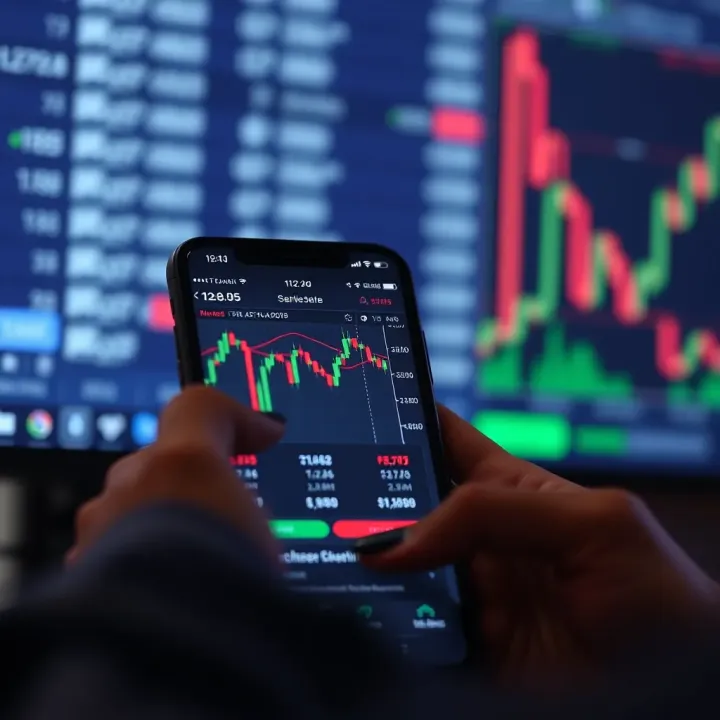
Downloading and installing these apps generally involves visiting official outlets like the Apple App Store or Google Play Store. It’s crucial to avoid third-party websites to reduce the risk of downloading malware or a fake application designed to steal your information. Once installed, many apps require registration, where keeping your personal details secure is vital. Use strong, unique passwords and activate two-factor authentication where possible.
Choosing the right forex app depends on several factors:
Security: Look for apps regulated by credible financial authorities, such as the Financial Sector Conduct Authority (FSCA). Without proper regulation, your funds and data might be at risk.
Fees and Spreads: Some apps charge commission per trade, while others rely on spreads. Compare these costs, especially since forex trades can happen often, and fees can add up quickly.
User Experience: The app should be intuitive and responsive. For instance, a lagging platform during active market hours could cause expensive mistakes.
Tools and Features: Access to real-time charts, various order types, and economic calendars can improve trade decisions. Some apps incorporate educational resources suited to South African market conditions.
When picking a forex app, don’t just chase flashy features — consider what truly meets your trading style and local needs.
Knowing how to use your chosen app effectively is just as important. Begin with demo accounts if available. They let you practise without risking real money. Once confident, learn to monitor your trades through live charts, set stop-loss orders, and watch out for market events that can affect currency exchange rates.
In essence, a practical approach to selecting and using forex trading applications will help you navigate the complexities of the forex market while managing risks and costs effectively. Stay informed, cautious, and ready to adapt as you engage with the dynamic world of currency trading.
Grasping the ins and outs of forex trading applications is key to navigating the fast-moving foreign exchange markets effectively. These apps empower traders to buy and sell currencies directly from their mobile devices or desktops, providing both novices and experienced investors with the tools to react quickly to market shifts. Understanding how they function, and what features they offer, can save you time and reduce costly mistakes.
A forex trading application is a software platform designed to facilitate trading of currency pairs. These apps connect users to the forex market electronically, enabling real-time access to price quotes, order placement, and portfolio management. For example, a retail trader in Cape Town can monitor EUR/USD fluctuations and place trades directly from their smartphone without needing a physical trading desk.
Their main purpose is to simplify the trading process and make the forex market accessible anytime, anywhere. As the forex market operates 24/5, having an app ensures you're not missing out due to location or time constraints.
Unlike traditional desktop trading platforms tied to specific locations or terminals, forex trading apps are optimised for mobile use, offering a stripped-down, user-friendly interface without sacrificing vital functions. For instance, while a standard desktop platform might include extensive charting options and algorithmic trading tools, the mobile app focuses on swift execution and clear visuals for quick decision-making.
This mobility and ease of access mean traders can respond to sudden market events promptly—whether in Johannesburg during lunch or on the road between meetings—without being chained to a fixed workstation.
Having up-to-the-second price updates is non-negotiable in forex trading. Apps pull live data streams directly from the markets, letting you see exact bid and ask prices on popular pairs like ZAR/USD or GBP/USD. This prevents executing trades on outdated information that could lead to unexpected losses or missed opportunities.
Most apps come equipped with a range of charts and indicators—from simple line charts to more complex ones like the Moving Average Convergence Divergence (MACD) or Relative Strength Index (RSI). These tools help you interpret market trends and make informed predictions. For example, spotting a bullish crossover on an RSI for USD/ZAR might signal a good entry point.
Users can place various order types such as market orders (instant execution) or limit orders (execution at a price you set). Some apps even support stop-loss and take-profit orders that automatically close positions at predetermined levels, helping manage risks effectively. Quick and reliable execution ensures trades don't get stuck or delayed, which is crucial in volatile markets.
To stay ahead, forex traders need timely news and updates. Many apps integrate financial newsfeeds covering economic releases, geopolitical events, and central bank decisions worldwide. For instance, an announcement from the South African Reserve Bank (SARB) often impacts the rand’s value sharply; an app delivering this news promptly lets you adjust your positions accordingly.
Access to these features directly impacts how well you can respond to market conditions and protect your investments. Choosing an app with robust real-time capabilities and dependable execution is vital for successful forex trading.
Downloading and installing a forex trading app might seem straightforward, but taking shortcuts can expose you to security risks or poor app performance. Ensuring you get your app from a trustworthy source guarantees you’re working with software that offers reliable data and protects your personal information. For anyone trading big or small sums, especially in South Africa where cyber scams are on the rise, securing your trading platform at this early stage is key.
Your best bet is to download forex trading apps from official websites or reputable app stores such as Google Play or the Apple App Store. Official broker websites often link to their verified mobile apps, reducing the chances of picking up a dodgy clone. Similarly, app stores have some screening process and user reviews that help you make a safer choice.
Still, be cautious. Fake apps occasionally slip through app store checks. Cross-check the app developer’s name and ratings carefully before clicking “install”. For instance, popular platforms like MetaTrader 4 or IG Markets show the official developers prominently. Avoid apps with generic names or inconsistent branding.
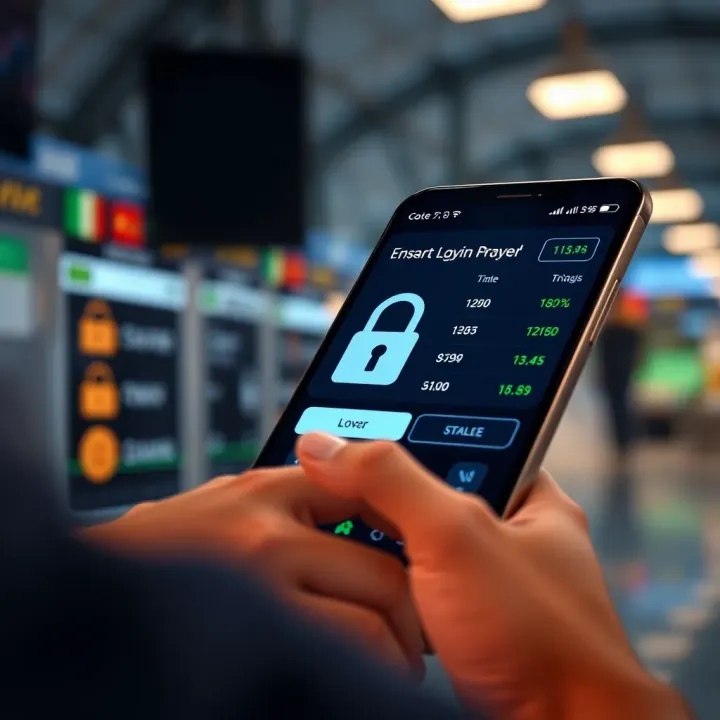
Malicious apps can steal your login details, siphon off funds, or infect your device with malware. To dodge these traps, inspect app permissions during installation — legitimate forex apps won't demand unnecessary access to your contacts or messages.
Besides technical checks, always search for independent user reviews and feedback. If an app promises unrealistically high profits or requests personal information upfront, it’s likely a scam. For example, reports circulating on MyBroadband forums warn against suspicious forex apps targeting South African users with flashy promises.
When installing on Android, ensure your device only accepts apps from the Google Play Store or trusted sources by keeping “Install from unknown sources” off unless you explicitly trust the app’s source. Once downloaded, verify the app’s digital signature when possible to confirm its authenticity.
Updating your Android OS to the latest version is just as vital. Outdated systems can have security loopholes, giving scammers an easy way in. Many South Africans using mid-range Android devices find doing regular updates significantly improves app stability and security during trading.
Installing forex apps on iPhones or iPads is generally more controlled, as Apple enforces a strict app review process. Always download your app directly from the Apple App Store, where you’ll find verified apps with transparent developer details and ratings.
Remember to keep your iOS version up-to-date. Apple's security patches help close gaps that could be exploited. Plus, using Face ID or Touch ID for app authentication adds an extra security layer, protecting your account even if someone else gets hold of your phone.
Taking the time to download and install your forex trading app correctly not only protects your money but also ensures smoother, uninterrupted trading. Use official sources, double-check permissions, and keep your device updated to trade with peace of mind.
Choosing the right forex trading app can make a big difference to your trading success. An app must not only suit your trading style but also work smoothly with your broker, fit your budget, and offer reliable support. Getting these elements right can save you time and money while making your trading experience more effective.
A clean, straightforward user interface is vital because forex trading often demands quick decisions. Apps cluttered with unnecessary menus or complex features can slow you down or confuse you when every second counts. For example, a trader using multiple charts and indicators simultaneously will benefit from an app that allows easy switching between them without lag or clutter. South African traders especially need to consider mobile connectivity, so a lightweight app that loads quickly even on slower networks can be a real advantage.
Not all forex apps support every broker. Before downloading, check that the app works seamlessly with your chosen broker. Many apps are custom-built for specific brokers to provide direct account access and better execution speeds. For instance, FNB’s trading app supports its own brokerage platform, which can be convenient for existing clients. If you plan to switch brokers or test several, look for apps supporting multiple broker integrations or universal platforms like MetaTrader 4 or 5.
Costs can sneak up on you if you don’t pay attention. Some apps appear free but charge hefty commissions, spreads, or withdrawal fees. Others may impose inactivity charges if you leave your account dormant. Always review the fee structure transparently laid out by the app or broker. For example, platforms like IG South Africa often provide clear fee schedules, helping traders understand what they pay per trade or transfer. Knowing the costs beforehand allows you to factor them into your trading plan and avoid surprises.
Reliable support can save your skin when issues arise, from technical glitches to transaction queries. Opt for apps backed by brokers with accessible customer service channels like telephone, email, or live chat, preferably operating during South African trading hours. Support in local languages or with local knowledge can make troubleshooting more straightforward. Some international apps fall short here, so checking online reviews or forums for real user experiences can guide you in choosing an app with dependable support.
South Africans have access to a mix of homegrown and global forex apps. Local broker apps like those from Standard Bank and FNB cater primarily to bank clients, integrating trading with existing banking services. Meanwhile, international apps such as MetaTrader and IG offer broader market access and advanced tools but may require more familiarity and internet bandwidth. Weighing these options depends on your trading goals—whether you want straightforward access or more complex analytical capabilities.
Demo accounts let you practise trading without risking real money, an essential feature for beginners or those trying new strategies. Many popular apps, including MetaTrader 4 and IG, provide demo modes with real-time market data, enabling you to learn the ropes and test the app’s features. Choosing an app with a demo account builds confidence before moving to live trading, especially useful if you’re new to forex or switching platforms.
Selecting the right forex app isn't just about fancy features—it's about fit, cost, and trust. Start with your needs, check compatibility, factor in fees, and ensure you can get help when things go sideways.
Security and regulation form the backbone of trust when using forex trading applications. Without robust security measures and strict regulatory oversight, traders risk exposing personal data and funds to threats. Especially in South Africa's growing forex market, knowing how these aspects protect you can make a huge difference.
Encryption is the technology that scrambles your data, so third parties can't read it during transmission. For forex apps, this means your login details, account balances, and transaction data stay safe from hackers. Most reputable apps use strong protocols like SSL/TLS encryption—basically locking the information behind a digital safe.
Alongside encryption, authentication ensures only you can access your account. Two-factor authentication (2FA) adds an extra layer, typically sending a code via SMS or an authenticator app. Without both encryption and strong authentication, your app could be vulnerable to account breaches, which might cost you serious money.
App developers release updates not just to add features but to fix security holes found after launch.
Using an outdated forex app is like leaving your front door unlocked. Cybercriminals often exploit known vulnerabilities in older versions, so ignoring updates opens the door for fraud. Regularly updating your trading app ensures you benefit from the latest security patches and improved protection against new hacking techniques.
Regulation provides oversight, ensuring brokers and apps follow rules designed to protect traders. In South Africa, the Financial Sector Conduct Authority (FSCA) monitors forex brokers to curb scams and malpractice. Meanwhile, the UK’s Financial Conduct Authority (FCA) is another common regulator for international brokers serving South African clients.
Trading via a regulated platform means you are more likely to receive fair treatment, your funds are segregated properly, and disputes have a clear channel for resolution. Conversely, using unlicensed apps increases the chances of encountering unfair trading conditions or losing money to unscrupulous operators.
Many forex trading apps now allow quick verification of broker credentials within the platform itself. For example, the app may display a seal or status confirming FSCA registration or FCA approval.
This feature helps you avoid fake or unregulated brokers, which is a common risk in the market. Before depositing money, check the broker’s licence status directly through the app—if there's no clear proof of regulation, it’s a red flag you shouldn’t ignore.
Keeping your forex trading app secure and trading with a regulated broker drastically reduces risks. Always verify encryption, update frequently, and confirm licences to protect your investments and data.
By paying attention to security and regulatory details, you trade with confidence instead of worrying about the next scam or hacking threat. That, in the end, is what smart trading is all about.
Getting the most from your forex trading app isn't just about clicking buy or sell. It means understanding key tools within the app and managing real-world challenges so you trade smartly and securely. When you grasp solid strategies like risk management and efficient use of technical indicators, you’re better prepared to make consistent profits rather than relying on guesswork. Also, being ready for common hiccups—like patchy internet or hidden fees—helps you avoid costly mistakes.
Stop-loss orders are vital for controlling losses in forex trading. They automatically close your trade once the price reaches a set level, preventing your losses from spiralling out of control. For instance, if you buy USD/ZAR at R15 and set a stop-loss at R14.80, your position closes if the rand strengthens unexpectedly, limiting your loss to 20 cents per unit. This feature is especially handy when trading on mobile, as you might not always monitor the market closely.
Since the forex market can swing quickly during volatile events like SARB announcements or geopolitical tensions, setting stop-losses helps you sleep better at night. But keep in mind that stop-loss orders don’t guarantee your exact exit price if the market gaps or liquidity is low. Still, they're a simple yet effective tool to keep risk in check.
Many forex apps come packed with technical indicators like moving averages, RSI (Relative Strength Index), and Bollinger Bands. These tools analyse past price data to give you clues about future market moves. However, their usefulness depends on how well you understand them and apply them to your trading style.
For example, using an RSI indicator that signals the currency pair is oversold might suggest a buying opportunity. But relying on one indicator alone can be misleading. Combining several tools and using indicators on different timeframes can offer a clearer picture. Always backtest your strategies on demo accounts that most apps provide before risking real money.
Trading forex needs a steady internet connection, but in South Africa, connectivity can be patchy, especially outside urban centres or during Eskom loadshedding when mobile networks get overloaded. Slow connections might delay order execution, causing slippage or missed opportunities.
To minimise this, consider:
Using apps that allow offline preparation of trades to be sent once online
Choosing mobile providers with good coverage in your area
Monitoring your data consumption carefully as trading platforms can use substantial mobile data, especially with live charts and news feeds
Many traders overlook how quickly fees eat into their profits. Forex apps may charge spreads, commissions, or overnight fees (swap rates), which vary by broker. For example, if a broker has a wide spread on USD/ZAR, your trade must move further in your favour before turning profitable.
Keep track by:
Reviewing your trade history regularly for hidden or unexpected fees
Comparing fee structures across different apps and brokers
Using apps that clearly display all costs upfront
Always factor transaction costs into your trading plan to avoid unpleasant surprises and improve overall profitability.
By understanding and handling these aspects better, you maximise the value of your forex trading apps and improve your chances of trading success.
📚 Discover essential forex trading books packed with practical tips, risk management, and trader psychology for South Africans aiming to improve skills and profits.
Learn how to spot trustworthy free forex trading signals 🇿🇦, assess their quality, and use them safely in volatile markets. Tips tailored for South African traders 💹
📈 Learn how to find, download, and safely use forex trading systems. Get tips on installation, performance checks, and avoiding common mistakes in trading.
Find the best forex trading app in South Africa 🇿🇦! Compare features, security, and tips to start trading confidently and manage risks wisely 📈💼.
Based on 7 reviews